The habit that matters most in workout logging is simple: record the exercise name, your sets times reps times weight for every work set, and one intensity cue like RPE or RIR, then review the week as a whole. Paper notebooks work just as well as apps as long as you use them consistently. If you want a coach led app that builds this habit in automatically, some apps guide you through it from day one.
TL;DR:
- Choose an app for charts, backups, and reusable templates, or paper to avoid screen distractions; use the method you can maintain for 80% of workouts.
- Add load only after every set reaches its target for one or two sessions, building repetitions first and then raising weight gradually.
- Wearables can capture heart rate, sleep, and workout duration, but they usually cannot reliably record exercise specific sets, repetitions, and weights without manual entry.
You have two real options for logging, and both can work beautifully when you pick the one you’ll actually stick with.
Digital apps give you automatic charts, backups you’ll never lose, and templates you can reuse every session. The tradeoff is that a phone in your hand between sets can tempt you into scrolling instead of resting. Paper notebooks solve that problem instantly: no notifications, no distraction, just a pen and a page you can flip to see your habit building in real time. The catch is you won’t get automatic graphs of your progress, and you’ll need to transfer anything you want to analyze later.
Pro Tip: Pre-fill your template before you walk into the gym, use short abbreviations like “BP” for bench press, and give yourself a 30-second window after each set or at the end of the session to log it.
A minimum viable log doesn’t need to be complicated. It just needs the right fields recorded the same way every time, so you can compare one week to the next without guessing.
Beyond these essentials, a few optional fields add real value without much extra effort: rest time between sets, tempo on key lifts, total session duration, bodyweight, and a short note on technique or soreness. Each of these feeds directly into a decision. Rest time and tempo affect how hard a set really was, bodyweight context matters for strength-to-weight comparisons, and soreness notes help you catch fatigue before it catches you.
You don’t need to design your own system. Two templates cover almost every session you’ll run.
Template A: Single-lift quick row (best for heavy compound lifts)
Template B: Session summary (best for full workouts or circuits)
A typical strength session might look like this using Template A: Bench press, 4 sets x 6 reps x 185 pounds, RIR 2, felt strong on the last set. Barbell row, 3 sets x 8 reps x 135 pounds, RIR 1, grip started slipping. Back squat, 4 sets x 5 reps x 225 pounds, RIR 2, good depth throughout.
To make entry near instant, keep a reusable session template saved in your app or printed on an index card, use consistent abbreviations across every lift, and set up a phone home-screen shortcut that opens straight to your log.
Once the basics feel automatic, you can layer in more precise tools, but only one at a time.
RIR and RPE are your first upgrade. A 2022 meta-analysis reviewing fifteen studies found that autoregulated training, where lifters adjust load based on how a set feels, produced strength gains similar to rigid percentage-based programs. That’s a strong signal that RIR is a legitimate daily tool, not a shortcut.
Autoregulated training can match the strength results of fixed percentage programs, according to that same meta-analysis, which means you don’t need a spreadsheet of percentages to train effectively.
Stage your additions: master the minimalist log first, bring in RIR next, and only start tracking weekly volume once consistent logging itself feels effortless.
Your log is only useful if it tells you when to push and when to hold steady.
A reliable rule of thumb: add weight once you hit your target reps across all sets for one to two sessions in a row, increasing reps first and then weight in small increments. Weekly set counts help you catch overtraining or undertraining before it derails a block, and the ACSM resistance training guidelines recommend training major muscle groups at least two days a week, with load and volume tailored to your goals rather than copied from someone else’s program.
Pro Tip: Before you add complexity to your program, rule out the simple explanations first: missed sessions, inconsistent logging, or a few short nights of sleep.
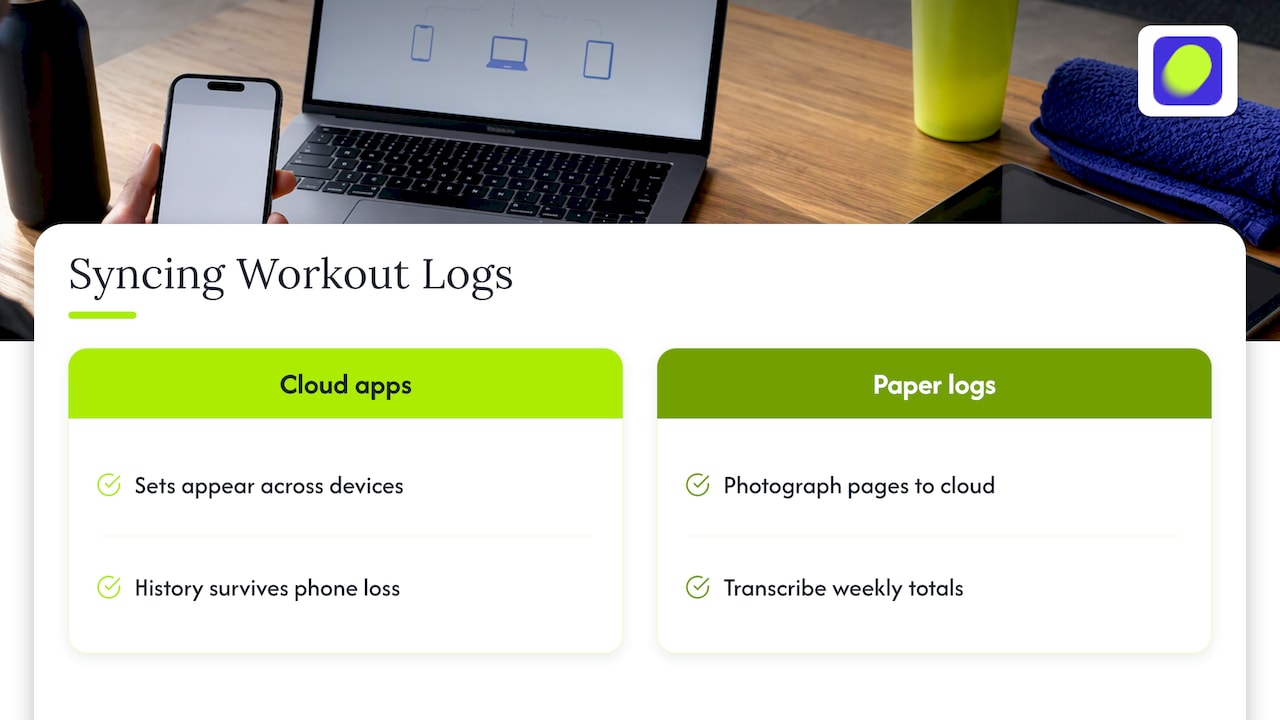
Training doesn’t happen on one device, so your log shouldn’t either. You might warm up checking your plan on your phone, log sets on a tablet propped against the rack, and review your week later on a laptop.
Cloud-based apps solve this automatically: once you log a set on one device, it appears everywhere else within seconds, and nothing lives only in one place where a lost phone could wipe your history. If you prefer paper, you can still sync in a lighter sense by photographing each page and storing it in a cloud folder, or by transcribing weekly totals into a simple spreadsheet you can open from any device.
The real question to ask before committing to a system is whether it survives a phone upgrade, a dead battery, or a forgotten notebook. A log that only exists in one format and one place is fragile, and fragile systems are the ones people abandon after a few good weeks. Choosing a platform that keeps your history intact across every device you actually use removes one more reason to fall off the habit.
Your workout log holds more personal information than it might seem: your bodyweight, your training schedule, sometimes your location when you check in at a gym. That’s worth a moment of thought before you pick a platform.
Look for apps that are transparent about what they collect and why, let you delete your data if you stop using the app, and don’t sell your training history to advertisers without your knowledge. A clear, accessible privacy policy is a good sign; a buried or absent one is a reason to look elsewhere. If you log sensitive notes, like injury history or medical context, consider keeping those details general rather than specific, since not every app treats that information the same way.
Paper logs sidestep digital privacy concerns entirely, which is part of their appeal for some lifters. If you do go digital, a few minutes reviewing an app’s data policy before you create an account is a small investment that protects a surprisingly personal record of your habits and your body over time.
Wearables have changed what “logging” can mean. A smartwatch or chest strap can capture heart rate, estimated calories, and workout duration automatically, filling in some of the fields you’d otherwise have to type by hand.
Where wearables genuinely help is in the data you can’t easily self-report: resting heart rate trends, sleep quality, and session intensity measured by heart rate zones rather than guesswork. Where they fall short is the data that matters most for strength progress, specifically exact sets, reps, and weight per exercise, which most wearables still can’t capture reliably without manual input.
The practical approach is to treat wearable data as a layer on top of your core log, not a replacement for it. Let the device handle heart rate and general activity tracking automatically, and keep your manual entries for the exercise-specific numbers that actually drive your training decisions. Think of it as division of labor: the wearable watches your physiology, you watch your weights.
A few weeks of consistent logging turns into something more valuable than a stack of numbers: a realistic picture of what you’re capable of and how fast you actually improve.
Short-term goals work best when they’re pulled directly from your recent log entries. If you’ve been stuck at 8 reps on a lift for three sessions, a realistic short-term goal is 9 reps next session, not suddenly adding 20 pounds. Long-term goals benefit from the same honesty. Looking back over eight to twelve weeks of logged sessions shows you your real rate of progress, which is almost always slower and steadier than the pace social media makes it look.
The Physical Activity Guidelines for Americans recommend muscle-strengthening activity on two or more days a week and specifically note that self-monitoring tools support sticking with that habit over time. Your log is that tool. Use it to set goals you can hit reliably rather than ones that sound impressive on day one and get abandoned by week three.
Almost everyone who starts a workout log eventually hits the same handful of walls. Knowing them ahead of time makes them much easier to push through.
The ACSM position stand makes a point worth repeating here: consistency and individualized programming, not complexity, are what actually drive progress. If your log starts to feel like a chore, the answer is almost always to simplify it, not to abandon it. For structured accountability built around exactly this kind of consistency, our guide on workout accountability walks through practical models that keep people showing up week after week.
Some apps include guided sessions with sets, reps, and rest timers built right in, so your log fills itself out as you train instead of becoming a separate task you do afterward. Features like streaks, XP, and tribe-based challenges can help make the habit of showing up feel rewarding rather than like homework and keep you accountable to people training alongside you.
You can start with the minimal log we described above and let your coach’s programming introduce RIR prompts and advanced cues exactly when you’re ready for them, whether that’s with Coach Xhenis, Coach Phil, Coach Branden, or Coach Kayla. For the intensity side of logging specifically, our piece on training at RPE 7 to 8 shows exactly how that cue plays out inside a real session.
Ready to let your workouts log themselves while you focus on lifting? Try the Onemor free plan and open your first guided session today.
At minimum, record the date, exercise name, sets times reps times weight for every work set, and one intensity cue like RPE or RIR. Optional fields like rest time, tempo, and a short note on how the session felt add useful context without slowing you down.
Both work well, and RIR, which tracks how many more reps you could have done, is often easier for beginners to estimate consistently. A 2022 meta-analysis found autoregulated training using these cues can match the strength results of fixed percentage programs.
Either works as long as you use it consistently; the ACSM position emphasizes that adherence matters more than the tool itself. Apps add automatic charts and backups, while paper removes screen distraction, so the right choice is whichever one you’ll actually keep using.
A weekly review is usually enough to spot trends in reps, weight, and how sessions felt without overanalyzing day-to-day noise. Look at whether you’re consistently hitting target reps and whether your weekly set totals align with ACSM recommendations of at least two training days per muscle group.
Onemor logs your sets, reps, and rest periods as you complete guided sessions, so your training history builds itself without extra manual entry. You can see your current plans directly on the Onemor app.