If you’re looking for fitbod alternatives that actually keep you coming back, Onemor is the strongest pick for the 16–30 crowd. It pairs coach-led progressive programming with tribe-based challenges and covers strength, HIIT, and bodyweight whether you’re at a Florida gym or training at home. That combination matters: social fitness features like community challenges and leaderboards are primary drivers of session frequency for Gen-Z and millennials, and 40.4% of consumers currently use health apps while 22.9% have already quit one. The apps that keep young users are the ones that feel structured and social, not just a library of videos.
Quick TL;DR:
The strongest workout planner alternatives for young adults in 2026 share one trait: they tell you exactly what to do and why. Top-rated options emphasize progressive overload, clear sets/reps guidance, and smooth gym/home switching. Here’s how the main categories stack up:
Coach-led tribe app (Onemor)
AI-driven algorithm planner (Fitbod-style)
Community-first social trainer (Freeletics-style)
Template-based gym tracker (Strong/Jefit-style)
Content-first class library (Nike Training Club-style)
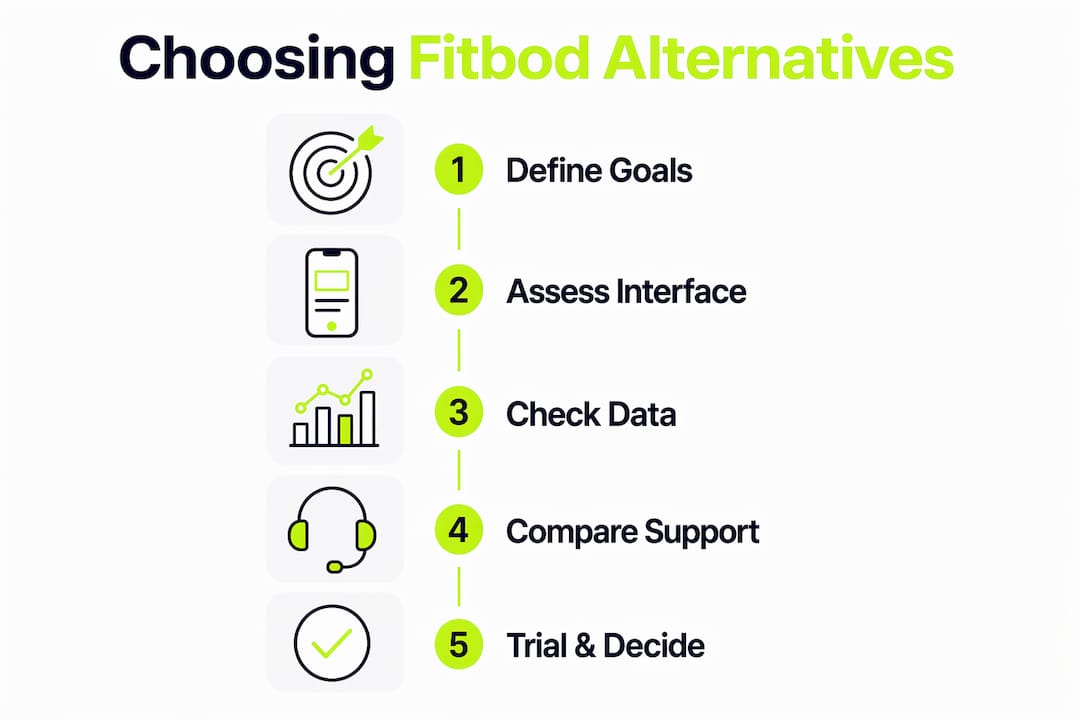
Match your goal to the programming style first. If you want strength gains, you need coach-led or algorithm-driven progressive overload with clear sets and reps. If HIIT is your focus, look for interval libraries with rest-timer precision. Chasing aesthetics? Phased programs with visible milestones beat random class libraries every time, because apps that present fitness as a phased protocol with milestones see higher retention than disconnected video collections.
Selection checklist:
Red flags to avoid:
Questions to ask during your trial:
Pro Tip: Balance precision with ease. A deep analytics dashboard sounds great until you’re logging eight fields per set and dreading every workout. Young users prefer tap-and-go workflows alongside optional deeper stats, not mandatory data entry.
Onemor’s coach-led programming and tribe features map directly to what young adults actually respond to. Gen-Z prioritizes science-based results and distrusts content-first wellness that focuses on optics over outcomes. Onemor is built around the opposite: real trainers, structured phases, and measurable progress.
Feature highlights:
An academic study found that two configurations drive positive exercise behavior in young adults: real-time feedback paired with system availability, and perceived fun combined with socialization. Onemor’s design hits both. The tribe mechanic creates the social loop; the guided session creates the feedback loop.
You can browse coach profiles like Branden or Coach Kayla before you commit, so you know exactly who’s programming your workouts. Onemor offers a free tier and a premium subscription; the trial period lets you evaluate the full coaching experience before paying.
Onemor is the right call for most 16–30s who want structure and community. But a few specific situations point toward a different category of tool.
One practical move: use Onemor for your strength and HIIT programming, then pair it with a GPS running app for outdoor cardio days. You get structured progression where it matters most without giving up outdoor tracking.
The apps that young adults stick with share a clean, low-friction design. Users cite complex interfaces, frequent crashes, and generic content as the primary reasons they abandon an app within the first month. A good interface gets you from opening the app to your first set in under 30 seconds.
Coach-led apps tend to present a single “start today’s session” button, removing decision fatigue entirely. Algorithm-driven apps often require you to confirm equipment and adjust variables before starting, which adds friction. Template-based trackers put the burden of program design on you, which suits experienced lifters but frustrates beginners. Onemor’s approach, a guided session that opens ready to go, fits the tap-and-go preference that young adults consistently favor in digital health tools.
Data portability is an underrated factor when comparing strength training apps. Most algorithm-driven planners let you export workout history as a CSV or PDF, which you can keep for reference. Template-based trackers often have robust export options since their users tend to be data-oriented. Content-first class libraries rarely offer meaningful export because there’s no structured progression data to save.
Coach-led apps vary. Before subscribing to any app, check whether you can export your completed workout log, personal records, and body measurements. If an app locks your history behind its own ecosystem with no export path, that’s a real switching cost to factor in.
Frequent, meaningful updates signal that a team is actively improving the product based on user feedback. For fitness apps targeting young adults, look for update cadence in the App Store changelog: monthly or more frequent updates suggest an active development team. Sparse updates over six-month gaps often mean the product is in maintenance mode.
Customer support quality varies widely. Coach-led apps with a subscription model tend to offer responsive in-app chat or email support because retention depends on it. Free-tier-heavy apps often route support through community forums, which slows resolution. When you’re in a trial, send one support message to test response time before you commit.
Onemor is the strongest Fitbod alternative for 16–30s who want coach-led progressive programming, tribe-based accountability, and multi-environment training in one app.
Onemor is the app I’d point any 16–30-year-old toward first, especially if you’re training in Florida where gym access is easy but consistency is the real challenge. The coach-led structure removes the hardest part of fitness: deciding what to do next. The tribe mechanic solves the second hardest part: showing up when motivation dips.
The trade-off worth naming honestly: if you want a completely free experience with zero commitment, a class-library app covers the basics. But free content without progression is just entertainment. If you’re serious about strength gains or HIIT improvement over months, you need a program, not a playlist.
[Author qualifications or background relevant to fitness should be inserted here.]
Use your trial to run two or three full sessions and check: Did the app tell you exactly what to do? Did logging feel fast? Did you feel any pull from the community features? If yes to all three, you’ve found your app.
Onemor gives you coach-led workouts, tribe challenges, and guided sessions with sets, reps, and rest timers, all without spending hours planning your own program. It’s the structured alternative to scrolling through a content library and hoping something sticks.
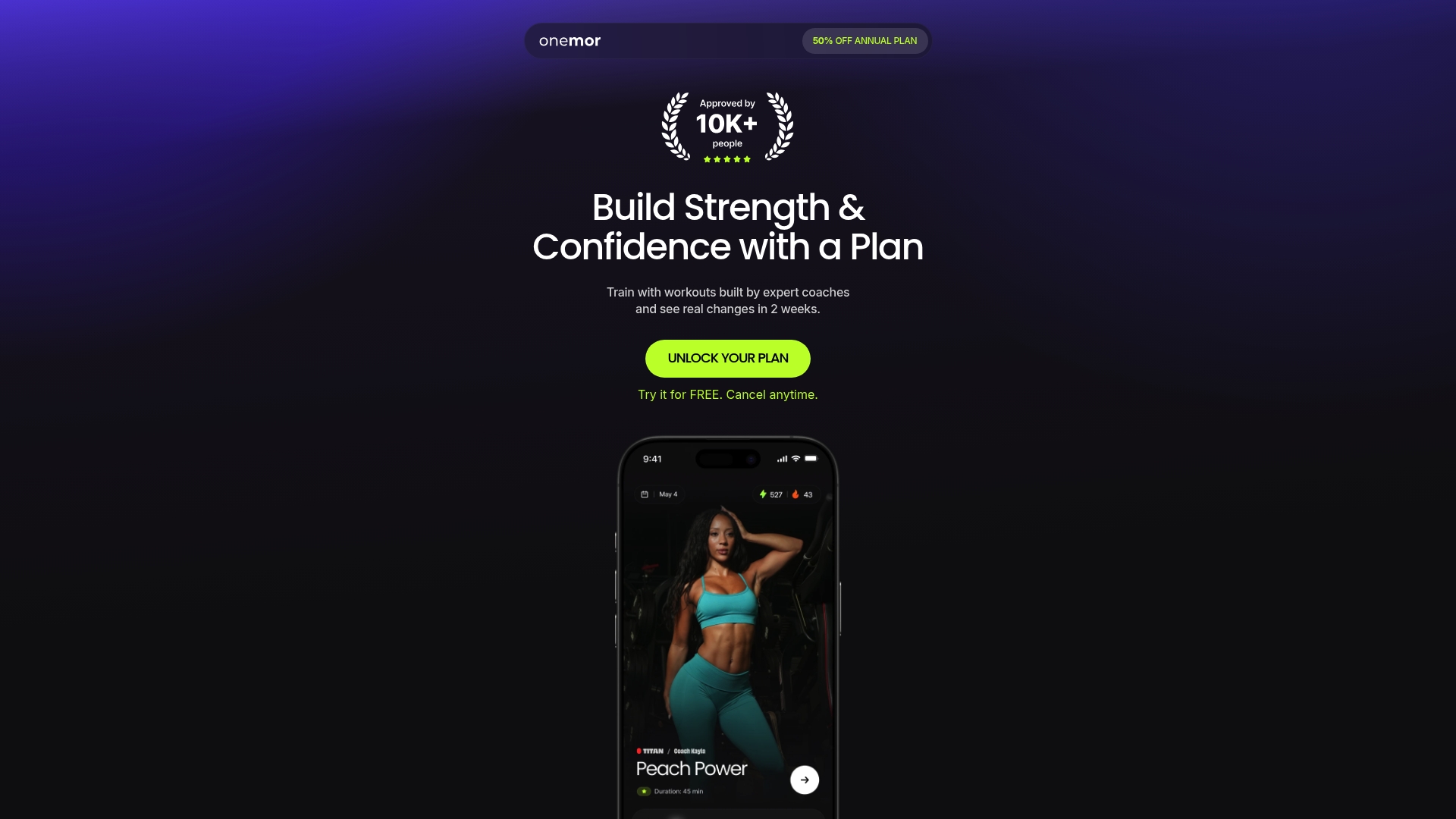
Here’s how to get started: sign up on the Onemor app, complete the onboarding assessment, and run two or three full sessions. Pay attention to how fast you can log a set and whether the program tells you exactly what to lift. Browse Coach Jahson’s profile or check the Onemor page to see which coaching style fits your goals. The free trial lets you evaluate everything before you pay a cent.
These sources back the article's claims on retention, social fitness, and app design.